
OKX · Grid settings
OKX Spot Grid Trailing Up and Trailing Down: how the orders change and how much capital they tie up
When the price touches the lower limit of an OKX Spot Grid with Trailing Down switched on, the bot places one more buy order a level below that limit. The order is paid for with additional money from your main account balance, and if the balance falls short the order isn't placed. If you plan to turn Trailing Down on, decide before you create the bot how many levels you are willing to follow the price down, and add up what those levels will cost so the money is set aside.
Trailing Up works at the other end of the range. When the price touches the upper limit, the lowest buy order is canceled and a new buy order goes in at the old upper limit. Once that fills, a sell order is placed one level higher, and the upper and lower limits both move up. A take profit set by price stays where it is in both kinds of move. A stop loss follows the grid only on the way up and stays put on the way down.
Every Trailing Down level draws extra funds from the main account balance
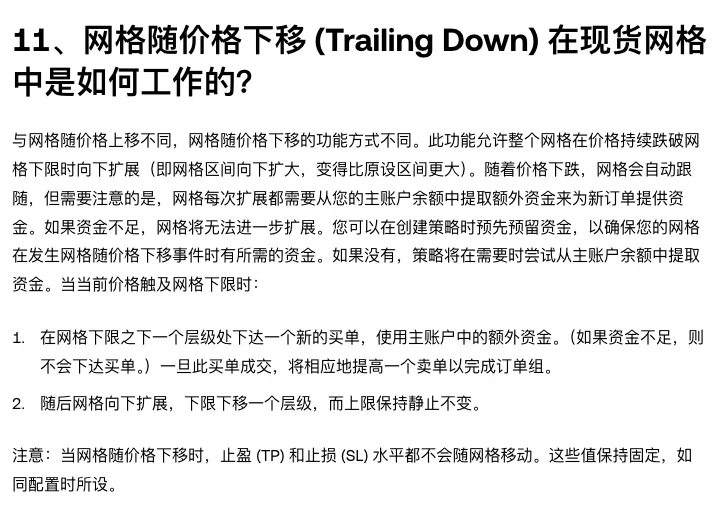
The FAQ page on the spot grid bot in OKX's Help Center describes Trailing Down as a downward expansion: when the price keeps falling below the grid's lower limit, the grid range grows downward and ends up larger than the range originally set. When the current price touches the lower limit:
- A new buy order is placed one level below the lower limit, using additional funds from the main account. If the funds are insufficient, the buy order is not placed. After the buy order fills, a corresponding sell order is placed to complete an order group.
- The grid expands downward: the lower limit moves down one level and the upper limit stays the same.
The same answer adds that every expansion of the grid has to draw additional funds from your main account balance to pay for the new order. That money can be reserved when the bot is created, so it is available when a Trailing Down move happens. Without a reserve, the bot tries to draw from the main account balance at the moment it needs the funds.
With the upper limit fixed and the lower limit moving down, the range can only get bigger: the new buy order is a level added underneath the original grid. Each added level puts one more buy order's worth of money to work beyond the investment amount entered at creation, and each fill adds to the position. The further the price falls, the more the bot has bought.
How much USDT to set aside for 5 Trailing Down levels in a row
OKX says only that one new buy order is placed a level below the lower limit. It doesn't give the size of that order. The estimate here assumes it is the same size as the existing grids, so the money to set aside is the quantity per grid × the order price of that level, added up level by level. The quantity per grid is fixed when the bot places its initial orders: it first determines a per-grid amount in the base currency so the investment is spread evenly across all grids. On a BTC/USDT grid, the per-grid amount is a certain number of BTC.
| Trailing Down move | Lower limit the price touches | New buy order placed at | Cost of this buy order (USDT) | Cumulative extra funds (USDT) | Range afterwards |
|---|---|---|---|---|---|
| 1 | 80 | 78 | 5 × 78 = 390 | 390 | 78–100 |
| 2 | 78 | 76 | 5 × 76 = 380 | 770 | 76–100 |
| 3 | 76 | 74 | 5 × 74 = 370 | 1,140 | 74–100 |
| 4 | 74 | 72 | 5 × 72 = 360 | 1,500 | 72–100 |
| 5 | 72 | 70 | 5 × 70 = 350 | 1,850 | 70–100 |
Table note: the parameters are made up for illustration. A USDT-quoted Spot Grid with a range of 80–100, Arithmetic mode, 10 grids, a spacing of (100 − 80) ÷ 10 = 2 USDT per grid and 5 coins per grid. Each new buy order is also counted as 5 coins, and trading fees are left out.
The original range has 10 buy prices, from 80 up to 98, and they add up to 890. Assume first that the market price at creation is no lower than 98 USDT, the highest buy order, so all 10 buy orders rest at their own prices. Now suppose the price falls straight down and no sell order fills on the way. All 10 buy orders fill at their order prices. That costs 5 × 890 = 4,450 USDT, and the bot holds 50 coins. If the market price at creation were below 98, the FAQ answer on buy orders priced at or above the market applies: they fill immediately at the current market price. That costs less than 4,450, so 4,450 is the ceiling worked out from order prices. Five Trailing Down levels in a row, with all 5 new buy orders filled, tie up another 1,850 USDT and add 25 coins, for 6,300 USDT and 75 coins in total. The extra money is 1,850 ÷ 4,450 ≈ 41.6% of the original, and the position is 50% larger.
The average buy price of those 75 coins is 6,300 ÷ 75 = 84 USDT, lower than the 4,450 ÷ 50 = 89 USDT before any Trailing Down move, but by the time the fifth buy order fills the market price is already at 70. Trailing Down has pulled the average down by 5 USDT and added 25 coins bought on the way down.
For your own grid, pick the number of levels you are willing to follow. If you only mean to follow 2 levels, the amount to set aside is 770 USDT. On a Geometric-mode grid the levels keep a constant ratio between them, so the price of the next level has to be worked out by that ratio. Subtracting a fixed spacing won't give it.
What happens to Trailing Down when the balance runs short or the stop loss is hit
If the balance can't cover the next level, that buy order isn't placed and the grid stops expanding downward. Take the same parameters with only 770 USDT in the main account balance. The first two levels use it up, and when the price touches 76, the third-level buy order, which needs 370 USDT, can't be placed and the lower limit stays at 76. For the grid to follow to the third level, that 370 USDT has to be in the main account balance before the price touches 76, or already reserved at creation.
If the main account balance holds money meant for something else, think it through before turning Trailing Down on: with no reserve in place, the bot will try to draw from that balance as soon as it needs funds.
Trailing Down also ends when the price reaches the stop loss. During Trailing Down, neither take profit (TP) nor stop loss (SL) moves with the grid, and both keep the values they were configured with. OKX's Help Center guide to using the Spot Grid bot says of the stop loss that when the market price falls to the SL price, the bot stops trading and sells all the assets it holds. Say the stop loss is at 73 and the main account balance is sufficient. Before the price gets down to 73, the three new buy orders at 78, 76 and 74 have already filled. At 73 the bot stops trading, and those coins are sold together with the ones bought inside the original range.
With no stop loss and a balance that keeps covering each level, every touch of a new lower limit adds another buy order. Each added level is a buy made on the way down, and in a falling market the buy orders that fill can end up at a loss. Whether a grid with Trailing Down on is making money shows in Total PnL. Total PnL is calculated as current equity at live market prices minus initial equity, and it takes top-ups and withdrawals along the way into account.
What Trailing Up cancels first and places next when the price touches the upper limit
Trailing Up is for a price that keeps rising past the initial upper limit: the lowest grid is removed and one is added at the top, the whole grid moves up with the price, and the bot stays active longer. When the current price touches the upper limit:
- the lowest buy order, at the grid's lower limit, is canceled;
- a new buy order is placed at the old upper limit;
- once that buy order fills, the corresponding sell order is placed one level above the old upper limit;
- the upper and lower limits both move up.
One Trailing Up move on a grid with a range of 80–100 and a spacing of 2: the buy order at 80 is canceled, a buy order goes in at 100, a sell order is placed at 102 after it fills, and the range becomes 82–102.
Take profit and stop loss are treated differently during Trailing Up. A take profit (TP) set by price doesn't move with the grid and keeps its configured value. A stop loss (SL) set by price moves up in step with the grid, by the same interval as the lower limit. With a stop loss at 76 and a take profit at 110, one Trailing Up move leaves the stop loss at 78 and the take profit still at 110. After 5 moves the range is 90–110 and the stop loss is at 86. At that point the upper limit and the take profit price coincide: when the market price reaches 110, the bot stops trading and sells all the assets it holds, and Trailing Up goes no further.
Trailing Up and Trailing Down sit among the optional settings when you create a grid
The guide splits the parameters for creating a Spot Grid into two groups. The key parameters are the lowest price, the highest price and the number of grids, plus the grid mode and the investment amount. Trailing Up/Down is listed with take profit (TP) and stop loss (SL) among the other, optional parameters, described as letting the bot adjust the grid dynamically as the market price moves, to improve capital efficiency.
Leave the option off and a price outside the range is handled by the lowest-price and highest-price rules: when the market price drops below the lowest price or rises above the highest price, the bot stops placing orders.
The reserved funds for Trailing Down are also set aside when the bot is created. Once the bot is running, the items OKX names as adjustable are the price range, the number of grids, take profit and stop loss, and the stop condition, and you can also add investment. Whether Trailing Up and Trailing Down are on, and how much is reserved, should be settled at the creation step.
Trailing Up vs Trailing Down: trigger, range change, take profit and stop loss
With the same parameters (range 80–100, spacing 2), the range is 82–102 after one Trailing Up move and 78–100 after one Trailing Down move.
| Item | Trailing Up | Trailing Down |
|---|---|---|
| Trigger | Current price touches the grid's upper limit | Current price touches the grid's lower limit |
| New buy order | Placed at the old upper limit | Placed one level below the lower limit, using additional funds from the main account |
| After the buy order fills | A sell order is placed one level above the old upper limit | A corresponding sell order is placed to complete an order group |
| Lower limit | Moves up; the lowest buy order is canceled | Moves down one level |
| Upper limit | Moves up | Stays the same |
| Range | The whole grid moves up | Expands downward, larger than the range originally set |
| Take profit by price (TP) | Doesn't move | Doesn't move |
| Stop loss by price (SL) | Moves up in step, by the same interval as the lower limit | Doesn't move |